How to Remove Ads From Android Apps Without Rooting | Remove Lock Screen Ads : 100% Working | Follow Instructions:
Everyone know that Android is open source and it is bigger source of income for developers. I know why it’s important, If they cannot show you ads, Who’s they earn but some people use this platform with wrong way. They create the App and fullfil with Ads, Content ratio is Lesser and Ads ratio is higher.
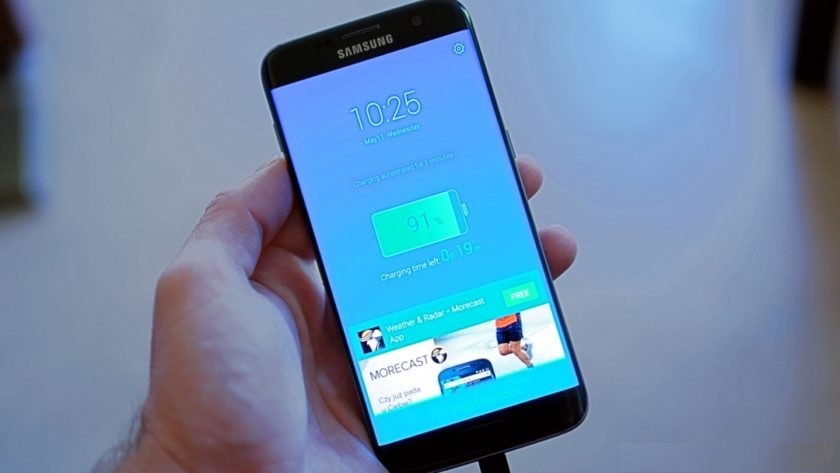
While showing ads inside the app is cool but some devs go crazy and start injecting ads even when you are not using the app. You will see the pop ups and full screen bigger ads and Mostly Ads shown on Lock screen of the smartphone.
Today We will show you How to Remove Lock Screen Ads on Android: Follow Instructions.
How to Remove Lock Screen Ads: Steps Below
Every smartphone getting new Android operating system updates. After update of system software, system automatically installed new android applications.
Step 1: Go to Playstore >> Open the Menu bar >> Click on the My Apps and installed.
Step 2: Click on Middle option, Installed.
Step 3: Find the Application, Name is Amber Weather app. In Mostly cases this application show the pop up ads and full screen ads.
Step 4: Please uninstall it, I think your ads problem has been fixed.
If Problem is not fix, Follow Second Method Below:
If your smartphone has these listed applications, 90% your smartphone has ads pop up problems. If you want to fix ads problems please Disable these application or Remove Apps carrying Ads on Lock Screen from you device.
1) ES File Explorer
2) Xender
3) Amber Weather Widget
4) GO Weather Forecast & Widgets / (in fact most Apps related to GO, stay away from the whole family)
5) Kitty Play
6) Touchpal
7) Z Camera
If it is Solved Please Share it with your Friends and Write your valueable comments below.