
Author Bio: Steven is the founder and lead tech writer at USTECHPORTAL.COM, where he simplifies emerging technology for everyday users. With a passion for smart homes and AI, he spends his time testing the latest gadgets and breaking down complex concepts into actionable guides. When not writing, you’ll find him automating his own home or experimenting with new DIY tech projects.
Reimagine Home AI is a dual-purpose smart technology that uses artificial intelligence to redesign your living spaces visually and to automate and control the physical devices within them.
Imagine having a creative designer who can visualize your dream room in seconds, paired with a helpful assistant that knows your habits, automates daily tasks, and makes your home more comfortable and efficient—all with minimal effort!
From generating stunning interior design concepts to adjusting your smart lights and thermostat, Reimagine Home AI brings intelligence to both the look and the function of your living space.
How Does Reimagine Home AI Work?
Reimagine Home AI operates like the creative brain and the managing brain of your home. Here’s how it works in simple steps:
For AI-Powered Interior Design:
-
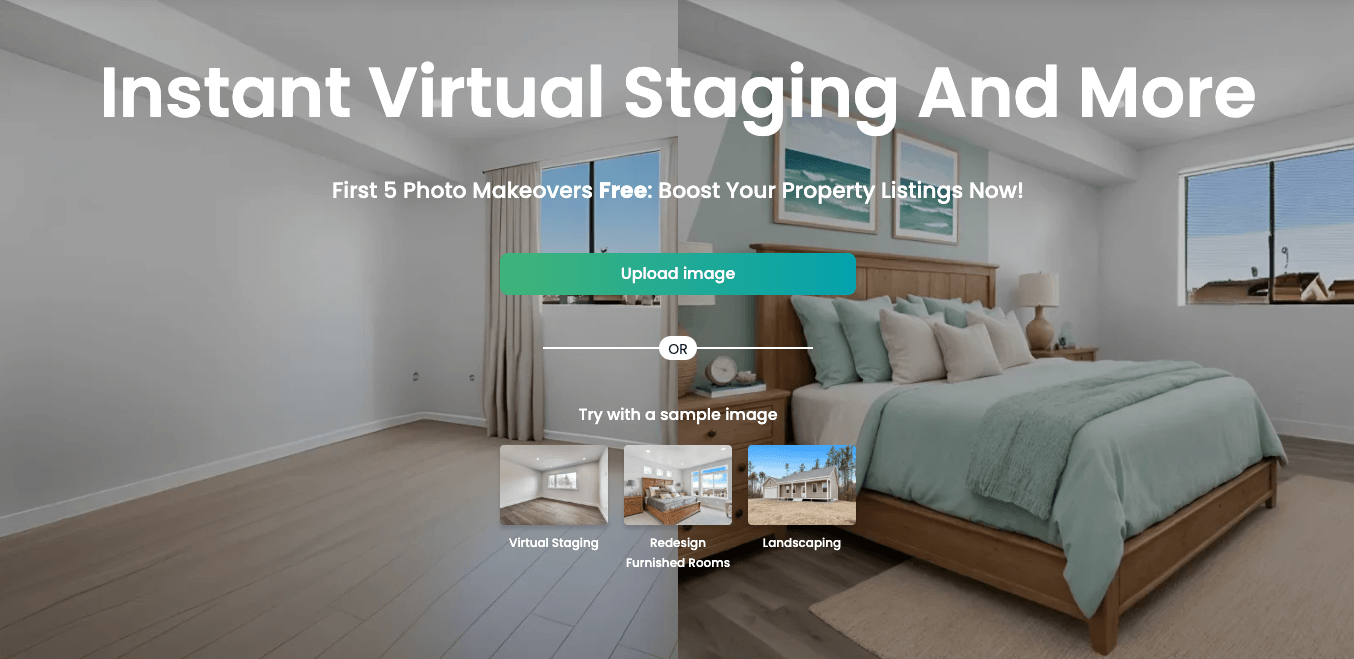
Upload a photo of your room (empty or furnished).
-
Select a 2026 design style (like Biophilic, Minimalist Maximalism, or Quiet Luxury) or let the AI suggest options based on current trends.
-
Edit & Iterate using advanced 2026 prompts (e.g., “make it more sustainable,” “add Art Deco lighting”).
-
Preview in AR (Augmented Reality) to see the design in your space via your phone’s camera.
-
Download or share the final high-resolution renderings.
For Smart Home Automation:
-
Connects Devices: It links all your smart devices (lights, locks, speakers, etc.) so they work together seamlessly.
-
Learns Your 2026 Habits: The AI observes patterns, like your hybrid work schedule or EV charging times, and adjusts settings for efficiency.
-
Responds to Advanced Commands: Use voice, app, or even gesture control in modern systems.
-
Makes Predictive Decisions: It might pre-heat the oven based on your calendar or activate “digital wellness” modes by dimming lights.
Key Features of Reimagine Home AI
For Design:
-
Generative AI Redesign: Creates photorealistic renderings of your space in any style.
-
Virtual Staging for Real Estate: Instantly furnishes empty rooms to help sell or rent properties faster.
-
AI-Powered Shopping Links: Click on AI-generated furniture to see real product suggestions and prices.
-
Sustainable Design Filter: Prioritizes eco-friendly materials and energy-efficient layouts.
-
Architectural AI: Visualizes structural changes, like new windows or removed walls.
For Automation:
-
Hyper-Personalized Routines: Creates routines for “Work-from-Home Focus,” “Evening Unwind,” or “Guest Welcome.”
-
Integrated Health & Wellness: Syncs with wearables to adjust lighting (circadian rhythm lighting) and temperature for optimal sleep.
-
Proactive Security: Uses AI camera analytics to distinguish between people, pets, and vehicles, sending smarter alerts.
-
Energy & EV Management: Optimizes home energy use, integrating with solar panels and scheduling EV charging during off-peak hours.
Step-by-Step Guide to Getting Started
Step 1: Visit the Official Website or App
Head over to ReimagineHome.ai or download their mobile app from official stores.
Step 2: Choose Your Mode
Select whether you want to “Redesign a Room” or “Set Up Smart Automation.” You can explore both.
Step 3: For Redesign – Upload Your Room Image
2026 Tips:
-
Use your phone’s LiDAR/Depth sensor (if available) for a perfectly scaled 3D scan.
-
Ensure good lighting for best results.
Step 4: Choose Your 2026 Style or Goal
Select from advanced styles like Post-Modern, Neo-Memphis, or Global Fusion. You can also input a sustainability or accessibility goal.
Step 5: Let the AI Work Its Magic
The AI, now faster, will generate multiple options, including 3D floor plans and video walkthroughs.
Step 6: Review, Integrate, or Edit
Finalize your design, get product links, or export the plan to a smart home app to shop for compatible automated devices.
Benefits of Reimagine Home AI
-
Unmatched Convenience: Go from a blank room to a fully visualized, shoppable design in minutes. Automate mundane home tasks.
-
Future-Ready Comfort: Create spaces that are both aesthetically cutting-edge and physically responsive to your needs.
-
Enhanced Safety & Security: Benefit from AI-driven security monitoring and safer, optimized home environments.
-
Cost & Energy Savings: Avoid expensive design mistakes. Automation significantly lowers utility bills through intelligent management.
-
Eco-Friendly Living: Design with sustainability in mind and reduce your carbon footprint with energy-aware automation.
Who Should Use Reimagine Home AI in 2026?
-
Homeowners & Renters: Refresh your space with confidence and control it effortlessly.
-
Interior Designers: Use it as a powerful co-pilot for client concepts and presentations.
-
Real Estate Professionals: Virtually stage listings instantly and showcase “smart home potential.”
-
Property Developers: Pre-design unit interiors and demonstrate automated living features to buyers.
Is Reimagine Home AI Safe?
1. Data Privacy (Enhanced in 2026):
-
Reputable platforms now offer zero-retention processing, deleting your room images after generation.
-
Clear, user-friendly controls allow you to opt-out of AI training data sets.
2. Security Measures:
-
End-to-end encryption is standard for both design uploads and smart home data.
-
Look for platforms with biometric logins and mandatory two-factor authentication (2FA).
3. Content Ownership:
-
You typically own the final generated designs. Always check the platform’s Terms of Service for commercial use rights.
4. Smart Home Security:
-
Choose devices with regular firmware updates and local processing options (like Matter) to reduce cloud dependency.
Steps to Stay Safe in 2026:
-
Use a dedicated email alias for sign-ups.
-
For smart home, create a separate IoT Wi-Fi network.
-
Always review app permissions and update device passwords regularly.
Pricing and Plans for 2026
-
Freemium Model: Often includes a few free redesigns or basic automation for one room.
-
Subscription Plans (Pro/Team): Offer unlimited high-res generations, commercial licenses, advanced AI styles (e.g., architectural changes), and premium smart home analytics.
-
Pay-As-You-Go: Some offer credit packs for casual users.
-
Is Premium Worth It? For professionals or those seriously renovating, yes. The advanced features and time saved offer significant ROI.
Challenges of Reimagine Home AI
-
Digital Divide: Access to the best AI features requires good internet and newer devices, potentially creating a gap.
-
Over-Reliance on Tech: A system failure or internet outage can disrupt automated homes.
-
Privacy Paradox: Balancing hyper-personalization with data sharing remains a key user concern.
-
Learning Curve: Mastering advanced prompt engineering for design or complex automation routines takes time.
Final Thoughts
Reimagine Home AI in 2026 is more powerful and integrated than ever. It bridges the gap between imagination and reality for interior design, and between command and intuition for home automation. Whether you’re dreaming of a new aesthetic or a effortlessly responsive living space, this technology puts immense power in your hands. The future of home living is not just smart—it’s imaginative, personalized, and sustainable.
FAQs About Reimagine Home AI
1. Do I need separate systems for design and automation?
Often, yes. The “Reimagine Home AI” design tool is typically a standalone platform. For automation, you’d use a hub like Google Home, Apple Home, or Amazon Alexa, which can integrate with the devices you’ve chosen based on your AI designs.
2. What devices do I need to start with automation?
Start with a universal hub (supporting the Matter standard) and one or two compatible devices, like a smart plug or bulb, plus reliable Wi-Fi.
3. Can the AI design tool actually buy items for me?
Not directly, but the best 2026 platforms provide direct purchase links or “Shop the Look” integrations with major retailers.
4. Is my data safe with these AI platforms?
Safety has improved. Prioritize platforms with transparent, no-retention data policies and strong security certifications. Always read the privacy policy.
5. What if I don’t like any of the AI-generated designs?
You can refine with text prompts (e.g., “more minimalist,” “warmer tones”), upload a reference image, or start over. The control is in your hands.
6. Will this significantly increase my home’s value?
Yes. A well-designed, efficiently automated home is a major selling point in the 2026 real estate market, appealing to tech-savvy buyers.