What is Pika.art?
Pika.art is an intuitive AI platform designed to turn your words or pictures into dynamic videos in seconds. Think of it as a digital magician: type a description like “a cozy cat chasing laser lights in a sunlit room,” upload an image if you want, and watch it generate a short, animated clip. Launched by Pika Labs, it’s gained buzz for its speed and creativity-boosting features, competing with tools like Runway or Kling AI.
At its core, Pika.art uses advanced models to handle text-to-video (T2V), image-to-video (I2V), and fun add-ons like swapping elements or twisting scenes. It’s web-based, so no fancy hardware needed—just a browser and your imagination. As of 2025, it’s evolved with models like Pika 1.5 and Turbo for quicker results, making it ideal for beginners.
Features of Free Plan
Pika.art’s Basic plan is completely free and gives you a solid taste of its magic without any upfront costs. Here’s what you unlock right away:
- 80 Monthly Video Credits: This is your creative fuel. Each generation (like creating a 3-5 second clip) costs a few credits, so you can experiment generously. Credits reset monthly but don’t carry over, encouraging fresh monthly projects.
- Core AI Models and Tools:
- Pika 1.5: The reliable workhorse for standard video generations—great for smooth, detailed outputs.
- Turbo Mode: Speeds things up dramatically. Basic T2V or I2V clips cost just 5 credits, while enhanced ones (with add-ons) run 10-60 credits.
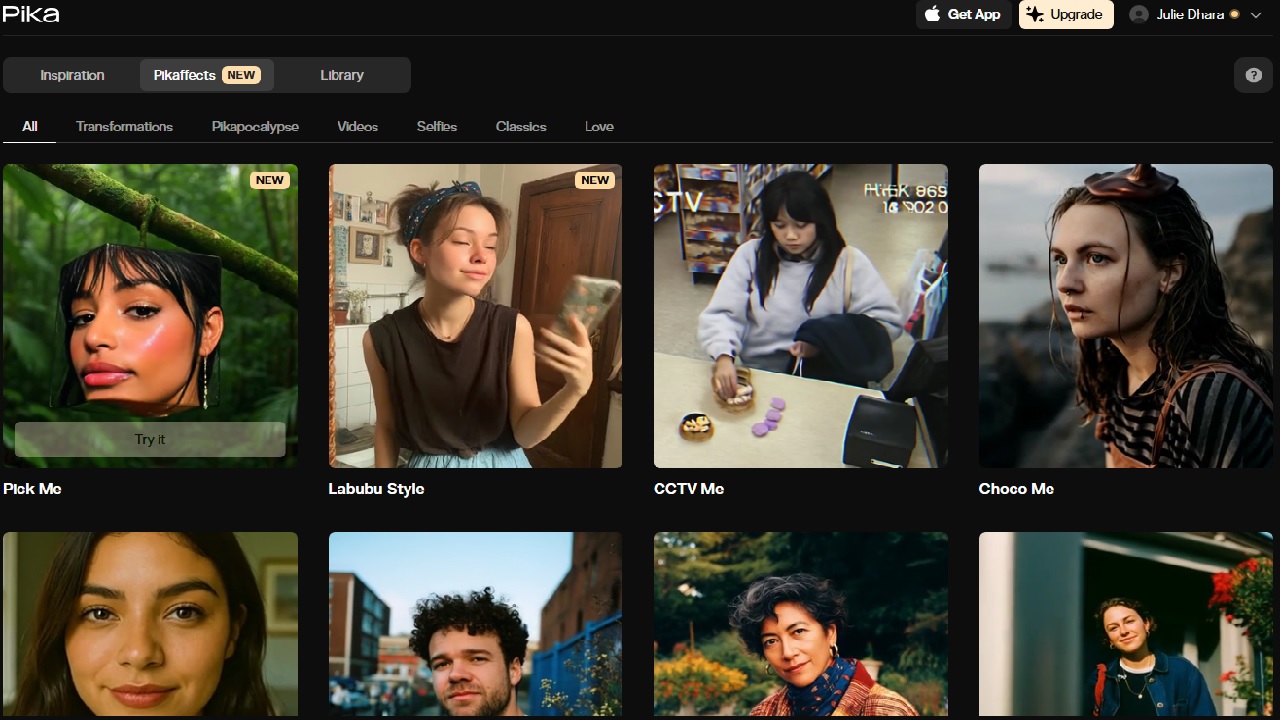
- Creative Add-Ons: Play with Pikadditions (layer in new elements), Pikaswaps (replace objects seamlessly), Pikatwists (remix scenes for twists), and Pikaffects (apply effects like slow-mo or style transfers). These keep things fun and versatile without extra fees.
- User-Friendly Perks: No watermarks on downloads, full commercial use rights, and the option to buy extra credits if you run low (they roll over, unlike your monthly allotment). Videos export in standard formats, ready for TikTok, YouTube, or your portfolio.
Getting Started: Step-by-Step Setup
Step 1: Sign Up Process
Getting started takes less than five minutes. Just sign up with your email or Google account, and you’re ready to go.
Step 2: Navigating the Dashboard
The dashboard is simple yet powerful. The main sections include:
-
Prompt box for text ideas
-
Style selection for creative themes
-
Preview window for checking progress
Step 3: Uploading Your Prompts or Ideas
You can type in simple prompts like “a futuristic cityscape at night” or “a cute dog running through a field.” The AI instantly interprets and starts rendering a video.
Step 4: Choosing Styles and Templates
For beginners, templates make the process smooth. Want a cinematic trailer? Or maybe an animated short? Templates guide the AI to generate in your preferred format.
Pros and Cons
| Aspect | Pros | Cons |
|---|---|---|
| Ease of Use | Super intuitive—no editing skills needed. | Limited to short clips (3-5s). |
| Value | Watermark-free, commercial-ready outputs. | Credits cap experimentation for power users. |
| Creativity | Fun add-ons spark endless ideas. | No access to cutting-edge models. |
| Community Buzz | Redditors call it “magic for beginners.” | Some miss the old unlimited free era. |
Maximizing Your Free Credits
To stretch those 80 credits like taffy, try these hacks drawn from creator tips:
- Prompt Wisely: Keep descriptions vivid but concise—”ethereal forest dance with glowing fireflies”—to nail results on the first try, saving retries.
- Batch Simple Clips: Use Turbo for quick I2V from your phone pics; it’s credit-efficient for social reels.
- Community Hacks: Reddit users rave about chaining free generations (e.g., generate a base clip, then add effects sparingly) to build longer stories without extra cost.
- Track Usage: The dashboard shows your balance—set a “budget” like 20 credits/week for steady output.
- Upgrade Path: If you love it, the $8 Standard plan unlocks way more without breaking the bank.
Pika.art Free vs Competitors
Pika.art vs Runway ML
Runway ML offers more advanced AI editing tools but has a steeper learning curve. Pika.art wins on simplicity and accessibility.
Pika.art vs Synthesia
Synthesia focuses on AI avatars and corporate training videos. Pika.art is broader, allowing more creative, artistic outputs.
Pika.art vs Canva Video
Canva is template-heavy and great for branding, but Pika.art shines when you want AI-generated, imaginative video content.
Conclusion
Pika.art Free is more than just another AI tool—it’s a gateway to creativity. Whether you’re a beginner making your first TikTok or a business owner looking to market your product, this platform offers an affordable, easy-to-use solution. Sure, the free version has limits, but for many, it’s the perfect starting point to explore AI-generated video content.
FAQs
1. What is Pika.art Free used for?
Pika.art Free helps users generate creative videos from simple prompts without advanced editing skills.
2. Is Pika.art completely free?
The free version is available, but advanced features and higher-quality exports require a paid subscription.
3. Can I use Pika.art for commercial purposes?
Yes, but always check licensing terms if you’re using free exports for large-scale business campaigns.
4. How does Pika.art compare to professional video editing software?
It’s not as detailed as Premiere Pro or After Effects, but it’s faster, simpler, and ideal for quick creative projects.
5. Do I need technical skills to use Pika.art Free?
Not at all. It’s designed for beginners and professionals alike—just type your idea, and the AI does the work.