Author Bio: As the founder of USTechPortal.com, I bring over a decade of experience analyzing and reviewing cutting-edge technology platforms. My focus is on practical, user-driven insights that help creators and businesses leverage AI tools effectively. I test every platform firsthand to deliver balanced, actionable guidance for the evolving digital landscape.
What is Autodraft AI?
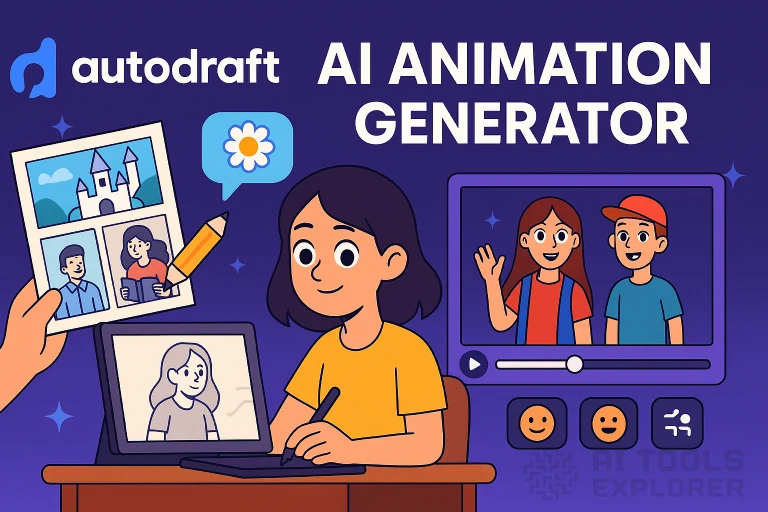
Autodraft AI is a comprehensive cloud-based animation platform that uses advanced AI algorithms to streamline professional visual content creation. Founded in 2023 by Jay Parmar and Sachin Patil in Bengaluru, India, Autodraft AI has evolved into a complete production pipeline delivering studio-quality animated content with unprecedented efficiency.
In 2026’s competitive content landscape, where animation demand has increased 300% but production timelines have shrunk, Autodraft AI stands out by reducing production time and costs by up to 90%. The platform now integrates seamlessly across the entire creative workflow—from initial concept to final render—empowering creators, marketers, educators, and studios to focus on storytelling rather than technical execution.
Key Features of Autodraft AI
Autodraft AI’s 2026 platform represents a significant evolution from its original feature set, now organized into intelligent workflow pillars that mirror professional production pipelines.
1. Text-to-Animation Scene Generation (Enhanced)
The text-to-image functionality has evolved into a full Text-to-Animation system. Users can now describe complex sequences like “a cyberpunk detective chases a drone through rainy neon alleyways at night” and receive a 5-10 second animated scene with camera movement, lighting effects, and basic character motion. The 2026 engine understands cinematic terminology like “dolly zoom,” “wide shot,” and “golden hour lighting,” making it indispensable for pre-visualization and rapid prototyping.
2. Advanced Character Animation Toolkit
Beyond the 1,000+ preset actions, the 2026 toolkit introduces:
-
Emotion-Driven Animation: Characters automatically adjust body language and micro-expressions based on emotional context (angry, contemplative, joyful)
-
Procedural Physics: Realistic hair, cloth, and secondary motion that responds to character movement
-
3D-to-2D Pipeline: Import basic 3D models for automatic rigging and 2D-style rendering
-
Multi-Character Interaction: AI-directs crowd scenes and character interactions with minimal input
3. AI Background & World Building
The Background Generator now features Consistent Environment Persistence. Once you establish a location’s style, the AI maintains lighting conditions, color palette, and architectural details across all scenes set in that location. The 2026 “World Builder” tool lets creators establish visual rules for entire animated universes that the AI enforces automatically.
4. Audio-Visual Synchronization Suite
The voiceover system has expanded to include:
-
Emotional Voice Modulation: AI adjusts tone and pacing based on scene context
-
Automatic Lip-Sync Generation: For multiple languages beyond English
-
Dynamic Sound Design: AI generates not just music but sound effects synchronized to on-screen action
-
Audio-Driven Animation: Characters move rhythmically to music or react to sound cues
5. Intelligent Editing & Optimization Tools
The image-to-image system now features:
-
Temporal Consistency: Make changes to one frame that propagate intelligently across sequences
-
Style Transfer Between Scenes: Apply the visual style of one scene to another while maintaining narrative coherence
-
AI-Assisted Inbetweening: Automatically generates smooth intermediate frames between key poses
6. Enterprise Production Studio
For professional teams, Autodraft AI 2026 offers:
-
Collaborative Real-Time Editor: Multiple team members can work simultaneously
-
Brand Compliance Engine: AI enforces style guides and brand guidelines across all generated content
-
API Integration: Connect with existing tools like Adobe Creative Suite, Figma, and Unity
-
Custom Model Training Portal: Train proprietary AI models on your unique animation style
7. Next-Generation User Interface
The 2026 interface introduces:
-
Context-Aware Workspace: Tools and options change based on your current task
-
Voice Command Integration: “Add a worried expression to character A” or “Make this scene sunset”
-
Predictive Workflow: AI suggests next steps based on your project’s patterns
How to Get Started with Autodraft AI
Step 1: Account Setup
Visit autodraft.in and sign up using email, Google, or GitHub. New users receive 50 free credits (increased from 20) plus access to the Beginner’s Project Template Library.
Step 2: Project Configuration
Choose your workflow path:
-
Quick Start Templates: For common projects (explainer videos, social clips, lesson content)
-
Custom Pipeline Builder: For advanced users to define their own production sequence
-
Script-to-Video Import: Paste your script for AI-assisted storyboarding
Step 3: Content Generation
Use natural language, upload sketches, or choose from the expanded asset library. The 2026 platform features iterative refinement—you can give follow-up commands like “make the character older” or “add more dramatic lighting.”
Step 4: Production & Editing
The enhanced timeline editor includes:
-
Non-Destructive Editing: All AI parameters remain adjustable
-
Version History with AI Comparison: See what changed between versions
-
Export Presets: Optimized for YouTube, TikTok, 4K film, or interactive web content
Step 5: Export & Integration
Export in multiple formats simultaneously or use the Direct Publish feature to platforms like YouTube, LinkedIn, and Instagram. New in 2026: Interactive Animation Export for web and app integration.
Pricing Plans and Subscriptions
Free Tier
-
50 monthly credits (renewing)
-
Basic templates and tools
-
720p export resolution
-
Watermarked output
-
Community support
Creator Pro – $15/month (was $10)
-
500 monthly credits + rollover option
-
All AI tools unlocked
-
4K export + transparent backgrounds
-
Commercial license
-
Priority email support
-
Early feature access
Studio Team – $45/user/month
-
Everything in Creator Pro
-
Unlimited collaborative projects
-
Brand style management
-
API access
-
Custom template creation
-
Dedicated account manager
Enterprise Solutions
-
Custom pricing
-
On-premise deployment option
-
SLA guarantees
-
Full data governance
-
Custom AI model training
-
White-label options
Pros and Cons of Autodraft AI
What Users Love
-
Complete production pipeline in one platform
-
Remarkable time savings—projects that took weeks now take days
-
Consistent character and environment persistence across scenes
-
Excellent learning curve with interactive tutorials
-
Regular feature updates based on user feedback
-
Strong community and template marketplace
What Could Be Better
-
Steep learning curve for advanced features
-
Credit system can be limiting for large projects
-
Limited offline functionality remains a constraint
-
Character customization still has some limitations compared to manual animation
-
Rendering times can vary based on server load
Why Choose Autodraft AI in 2026?
Autodraft AI represents the convergence of artificial intelligence and creative production at a pivotal moment in digital content history. For 2026 creators facing increased demands for animated content across multiple platforms, Autodraft AI provides:
-
Scalable Quality: Maintain professional standards regardless of team size
-
Cost Predictability: Transform fixed production costs into variable, scalable expenses
-
Speed to Market: Release content when it’s most relevant, not months later
-
Creative Empowerment: Technical teams can visualize concepts, and creatives can iterate freely
Whether you’re an independent creator producing animated YouTube series, a marketing team creating personalized video ads, an educator developing interactive lessons, or a game studio prototyping characters, Autodraft AI 2026 adapts to your workflow rather than forcing you to adapt to it.
Conclusion
AutoDraft AI has matured from a promising AI tool into an essential animation operating system for the 2026 content ecosystem. Its evolution from discrete features to integrated workflow pillars demonstrates a deep understanding of creators’ real-world challenges. While it doesn’t replace human creativity—it amplifies it—the platform has become sophisticated enough that many small studios now build their entire production pipeline around it.
The true value in 2026 isn’t just in what Autodraft AI can create today, but in its demonstrated trajectory of continuous improvement, addressing user feedback, and anticipating industry needs before they become pain points.
FAQs
1. Is AutoDraft AI free to use?
Yes, the expanded free tier now includes 50 monthly credits and access to basic templates, perfect for testing and small projects.
2. Can I use my own art style with AutoDraft AI?
Absolutely. The 2026 Custom Style Training is available in Team and Enterprise plans, allowing you to train models on your specific artistic style.
3. How does Autodraft AI handle copyright and ownership?
Content created on paid plans comes with full commercial rights. The AI is trained on licensed datasets and proprietary material. All user-generated content remains the user’s property.
4. What’s new in the 2026 version compared to previous years?
Key 2026 advancements include: complete script-to-video pipelines, emotion-driven character animation, consistent environment persistence, collaborative real-time editing, and vastly improved multi-character scene direction.
5. Can Autodraft AI create full-length animated episodes?
Yes, the 2026 workflow is specifically designed for episodic content with tools for maintaining consistency across episodes, managing character development arcs, and re-using established assets and styles.
6. What export formats are supported?
Beyond standard video formats (MP4, MOV, GIF), Autodraft AI 2026 exports layered project files for Adobe After Effects, sprite sheets for game development, and interactive JSON animations for web applications.
7. Does it support non-English content creation?
Yes, the platform now supports voiceovers and text-to-speech in 12 languages, with automatic lip-sync adaptation for the 6 most popular languages.